
Make the agreed workflow usable
Autodesk Construction Cloud (ACC) can support a project's information workflow, but opening a platform account does not establish a common data environment (CDE). The team still needs agreed input responsibilities, an identified set of model revisions for each review, and authority to release information. This article applies the preceding CDE principles to platform setup and daily use.
Autodesk now identifies ACC as part of Autodesk Forma, with updated product names [1]. We retain ACC here because it remains familiar project terminology. Document management controls files and revisions; Model Coordination supports model review and issue records; document Reviews provide configured approval workflows [2][3]. Confirm available tools, licences and permissions for the project.
Establish the review baseline
Before configuration, define who produces each model, who checks it and which revision other disciplines should use. Distinguish information under development from information shared for an agreed purpose. A folder labelled Shared does not by itself mean that its contents are approved for construction.
Our recommended setup connects a submission to its model revision, relevant drawings and outstanding decisions. Specify where recipients find the current review baseline and how superseded information remains traceable without being mistaken for current instructions. When an input changes, identify the affected parties and checks instead of assuming that uploading the replacement completes the handover.
Check participation before production
Some suppliers or subcontractors may not work directly in the project platform. Establish this during mobilisation, together with the required access, licences and training. Test the workflow using an actual recipient account rather than only an administrator's view.
Where direct participation is not practical, agree a controlled receiving route. Name the person who registers external submissions, checks their revision and purpose, and returns comments to the originator. Preserve the distinction between the original provider and the person uploading on their behalf. An email exchange should not become an invisible alternative source of approved information.
Configure issues around actionable questions
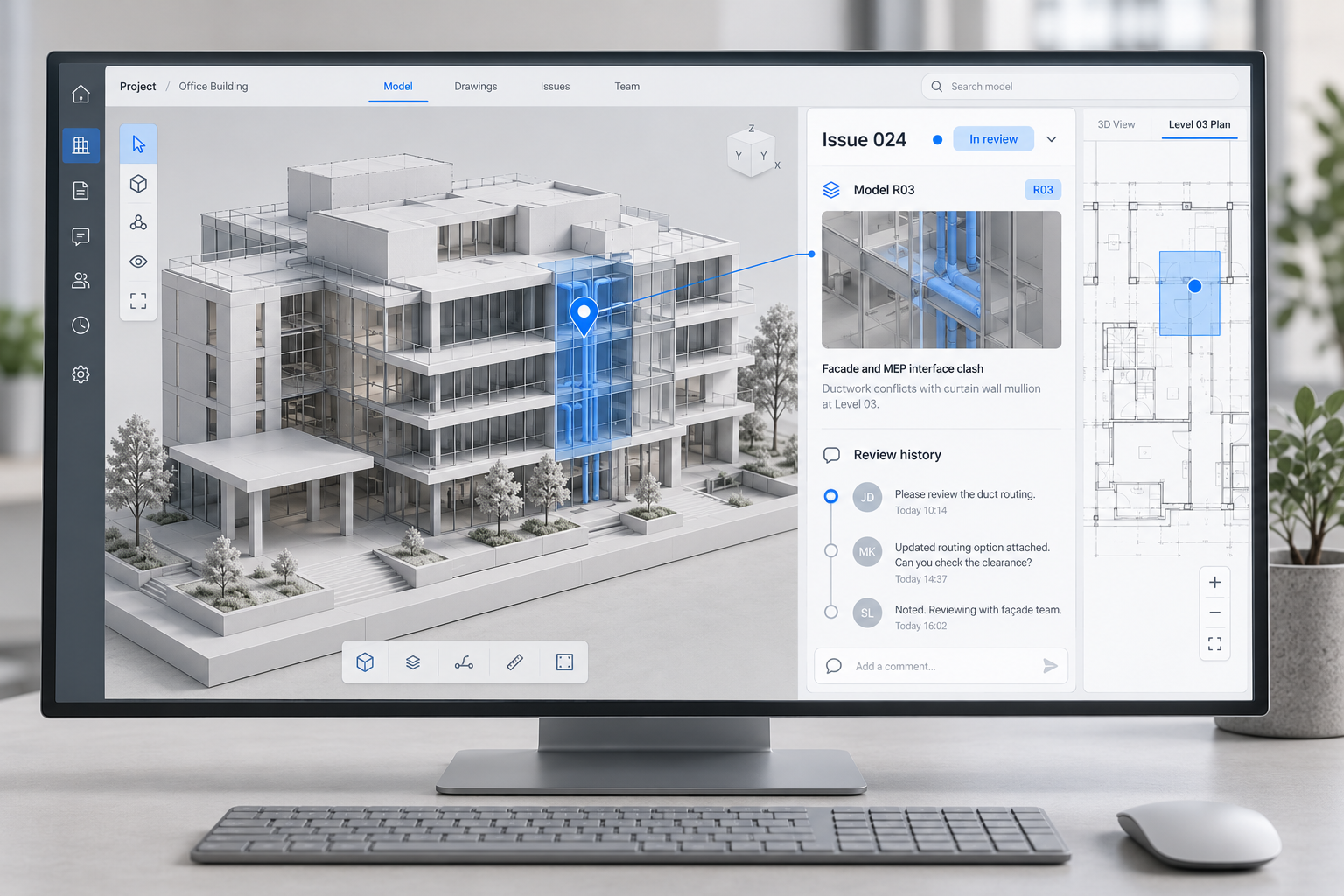
Autodesk's Model Coordination guidance describes issues created against models or clashes, with project settings controlling permissions, types and fields. Issue details can include an assignee, due date, comments, references and attachments [2]. Use these capabilities to make the required action clear, not simply to populate a dashboard.
A useful issue identifies the location, affected information, constraint and decision needed. Name the action owner separately from the person providing design input or approving the solution. Record the model revision used for the review and connect subsequent updates to the same question.
Define the question, assign responsibility, implement the response, review the evidence and accept the resolution. These are management actions, not a list of default ACC status names. Autodesk documents configurable issue statuses [2]. Map the project's actual labels to the agreed responsibilities and evidence; changing a label alone does not complete the engineering check.
Keep coordination and formal approval connected
A coordination issue records a question and its response; it is not automatically a formal approval. Autodesk documents configurable document review workflows with initiators, reviewers and approvers [3]. Agree which decisions use this route and which require another project approval process.
If the project's agreed approval route uses another system, link the coordination issue and reviewed model revision to the formal submission and response. If approval is managed within the Autodesk environment, confirm the configured workflow and authority. In either arrangement, a closed issue should not silently substitute for the required approval record.
Train the workflow rather than just the buttons
Use a small trial submission to practise access, model review, query assignment, correction and receipt. Include a missing input and a returned submission so the team understands exceptions. Check whether authors and reviewers interpret completion in the same way before expanding production.
Track blocked decisions and missing inputs alongside issue status. Avoid treating pin counts or a high proportion of closed items as proof of correct engineering. The dashboard should help identify what requires attention, not obscure unresolved dependencies.
A project setup checklist
- Recipients can identify the agreed model revision and permitted use.
- Input providers, action owners and approval roles are separately defined.
- Direct participants and external receiving routes have been tested.
- Issue fields and statuses have a documented project interpretation.
- Coordination records connect to the required approval evidence.
- The team has completed a representative trial exchange.
SmartBuild Tech's digital delivery support can help translate project responsibilities into practical platform procedures. Once the workflow is agreed, the next question is what evidence is sufficient to close an issue. The companion BIM Issue Closure article addresses that review.
References
- Autodesk Connected Workflows ↗ ACC and Forma naming notice. Accessed 3 October 2026.
- Autodesk Create Issues in Model Coordination ↗ Issue configuration, fields and status behaviour. Accessed 3 October 2026.
- Autodesk Create and Edit Approval Workflows ↗ Document review roles and configuration. Accessed 3 October 2026.
Useful insight?